Quick Answer
How do you practice writing cursive paragraphs?
Start with letters and joins you already recognize. Choose one target, copy a short connected passage row by row, then cover the models and write a new two- or three-sentence paragraph. Check letter identity, clear word spaces or natural line endings, and return to a phrase with more support if your chosen target becomes unclear.
From a readable phrase to a connected paragraph
Begin here if you can already write the basic letters in the Prima Cursive model and recognize common joins. The goal is to carry clear letter shapes, word spaces and line endings through a short paragraph. This is practice with a selected model, not a first alphabet or a universal stroke-order lesson.
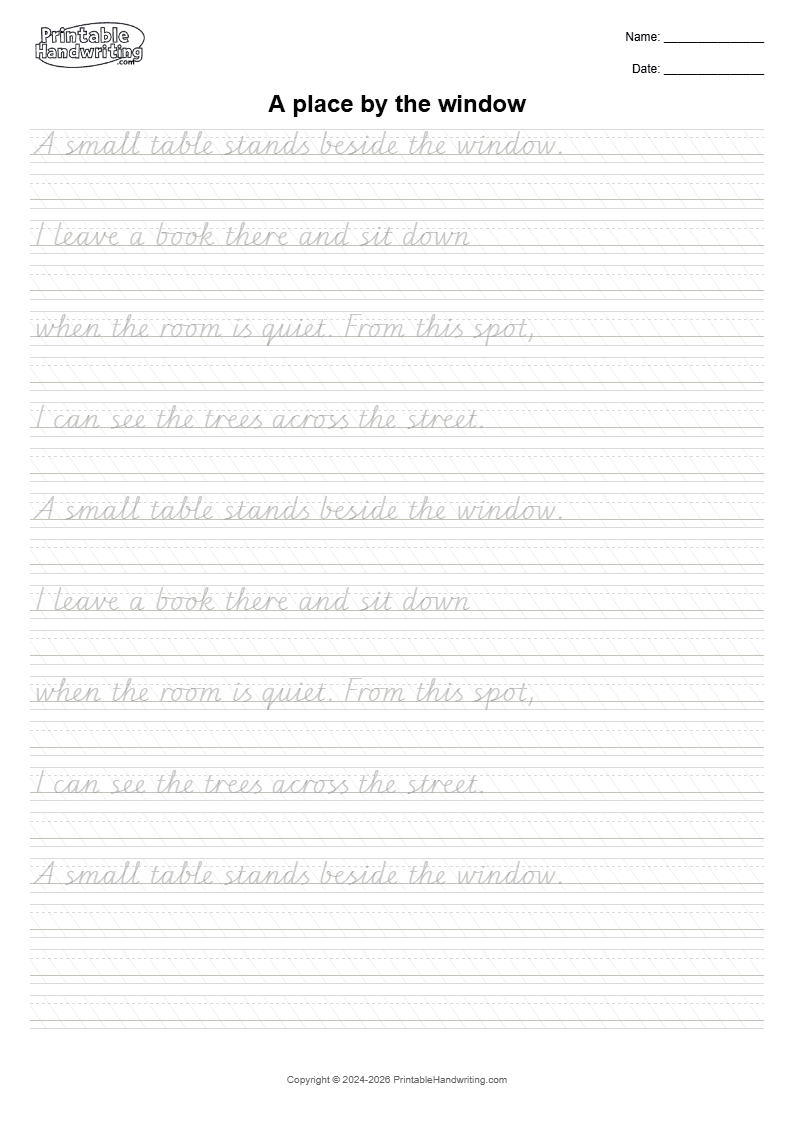
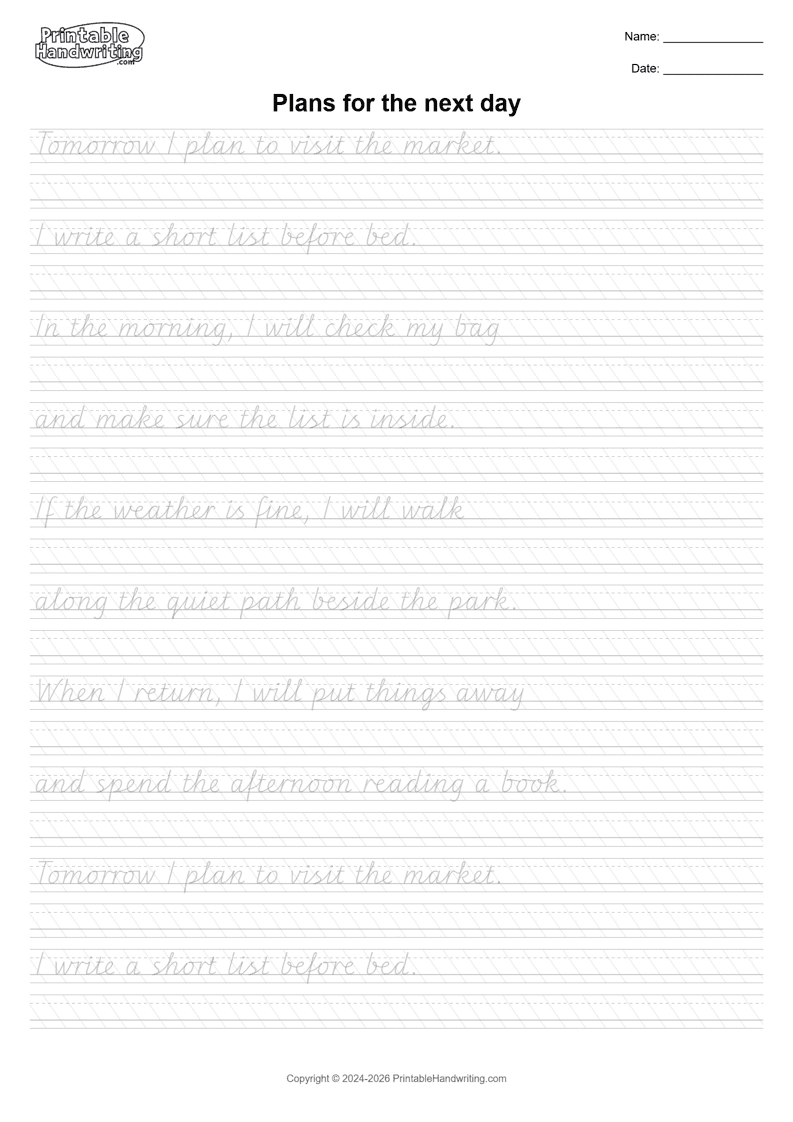
You need a pen or pencil, one A4 page from the free six-page Cursive Passage Practice Pack, spare ruled paper and a sheet to cover the models. Print at Actual Size or 100%. Start with page 1; return to page 6 when you want a longer passage. Each model row is followed by a blank Copy row.
Watch the 59-second walkthrough · English narration and captions
Follow actual PDF pages 1 and 6. The spacing example, cover sheet and separate ruled paper are instructional illustrations. Use spare paper for your new sentences; the PDF has no dedicated independent-writing area.
Playing loads YouTube. See our Privacy Policy, or watch on YouTube (opens a new tab).
1. Keep a starting sample and choose one target
Write “small table” once on spare paper before looking closely at the model. Keep it for comparison. Choose one target: recognizable letters inside a joined word, a clear word gap, or a line ending that leaves whole words intact. Do not try to change all three at once.
2. See where the word ends
smalltable
smalltable
Look at the exit of the first l and the entry of the next l inside “small.” Use the selected model’s visible connection as your reference while keeping both tall letters recognizable. At the end of “small,” leave a visible gap before starting the t in “table.” The second example deliberately removes that gap. It demonstrates a spacing error, not a required pen movement. Lift your pen where needed; continuous writing does not mean connecting across word boundaries.
3. Copy a phrase, then the short passage
Read the whole page-1 paragraph below. Look at “small table,” copy the phrase once, then cover it and try it again on spare paper. Uncover it and compare only your chosen target. If the words remain recognizable, copy the passage into the blank row below each model. The printed models stay visible during this step. The models repeat within the page; you can stop after one complete passage.
A small table stands beside the window. I leave a book there and sit down when the room is quiet. From this spot, I can see the trees across the street.
“I leave a book there and sit down” continues with “when the room is quiet.” Keep reading across the model-row boundary. You are continuing one sentence; do not add a period or capital just because you started a new row. On a longer page, pause between phrases if you need to check a letter or a word space.
4. Plan a line ending before the words become crowded
On page 6, “In the morning, I will check my bag” continues with “and make sure the list is inside.” Follow the model’s word-boundary break for the Copy exercise. When writing your own text, move a whole word to the next line if it will not fit. Do not shrink the final letters or erase word spaces to reach the margin. The independent paragraph may wrap differently from the model.
5. Cover every model and write a new short paragraph
Cover all printed model rows, including every repetition. Write two or three short sentences about a place where you sit, a walk, or tomorrow’s plan in unused Copy rows or on separate ruled paper. The PDF has no dedicated independent-writing area. This is new connected text, not a memory test of the whole model. Keep the same single target as your starting sample.
6. Read, compare and choose the next step
- Read without the model: can you identify each word without guessing from the topic?
- Check your target: are joined letters distinct, word gaps visible, or line endings uncompressed?
- If a word is unclear, return to that word with the model visible, then try a phrase with it covered.
- If the target holds, date the sample and choose a different passage next time.
A rushed final line, a lost word gap or an unrecognizable join is a reason to use more support for that part. It is not a score or a diagnosis. For a dated comparison under similar conditions, use the handwriting progress guide. Downloading a page does not show that practice or improvement took place.
If joins are still unclear, return to the cursive letter joins guide and Connections Pack. For shorter word and sentence work, use Cursive Words and Sentence Flow. To practice your own paragraph, open the free Cursive generator.
Frequently asked questions
Should I learn cursive letters before practicing paragraphs?
Yes. This lesson assumes you can already write the basic letters in the selected model and recognize common joins. Return to a letter or join when it becomes unclear, then try a phrase before another paragraph.
Where do I write with the models covered?
Cover every printed model, including repetitions, and write a new two- or three-sentence paragraph in unused Copy rows or on separate ruled paper. The pack does not include a dedicated independent-writing area.
Must I finish every repeated model on a page?
No. Start with one complete passage, choose one target, and compare a covered-model attempt. You can skip later repetitions and use a different scene next time.