Quick Answer
What is the best pen for handwriting?
There is no single best pen for every writer. Compare a few pens at the same writing speed and choose one that maintains steady ink flow, gives enough tactile feedback to stop strokes cleanly, and does not make you grip harder as the sample continues.
In the world of handwriting improvement, we focus too much on the software (drills, letter forms, practice sheets) and ignore the hardware (the pen and paper interaction).
But physics dictates performance. If your input device (pen) has zero resistance, your internal control loop (brain-hand connection) introduces jitter to compensate.
Why Does Friction Matter for Handwriting Control?
In mechanical engineering, Damping is an influence within or upon an oscillatory system that has the effect of reducing, restricting, or preventing its oscillations.
When you write, your fingers are the motor. The pen is the transmission.
The Feedback Loop Theory
According to IEEE research on haptic feedback and motor control, the brain relies on micro-vibrations from the fingertip to calculate position.
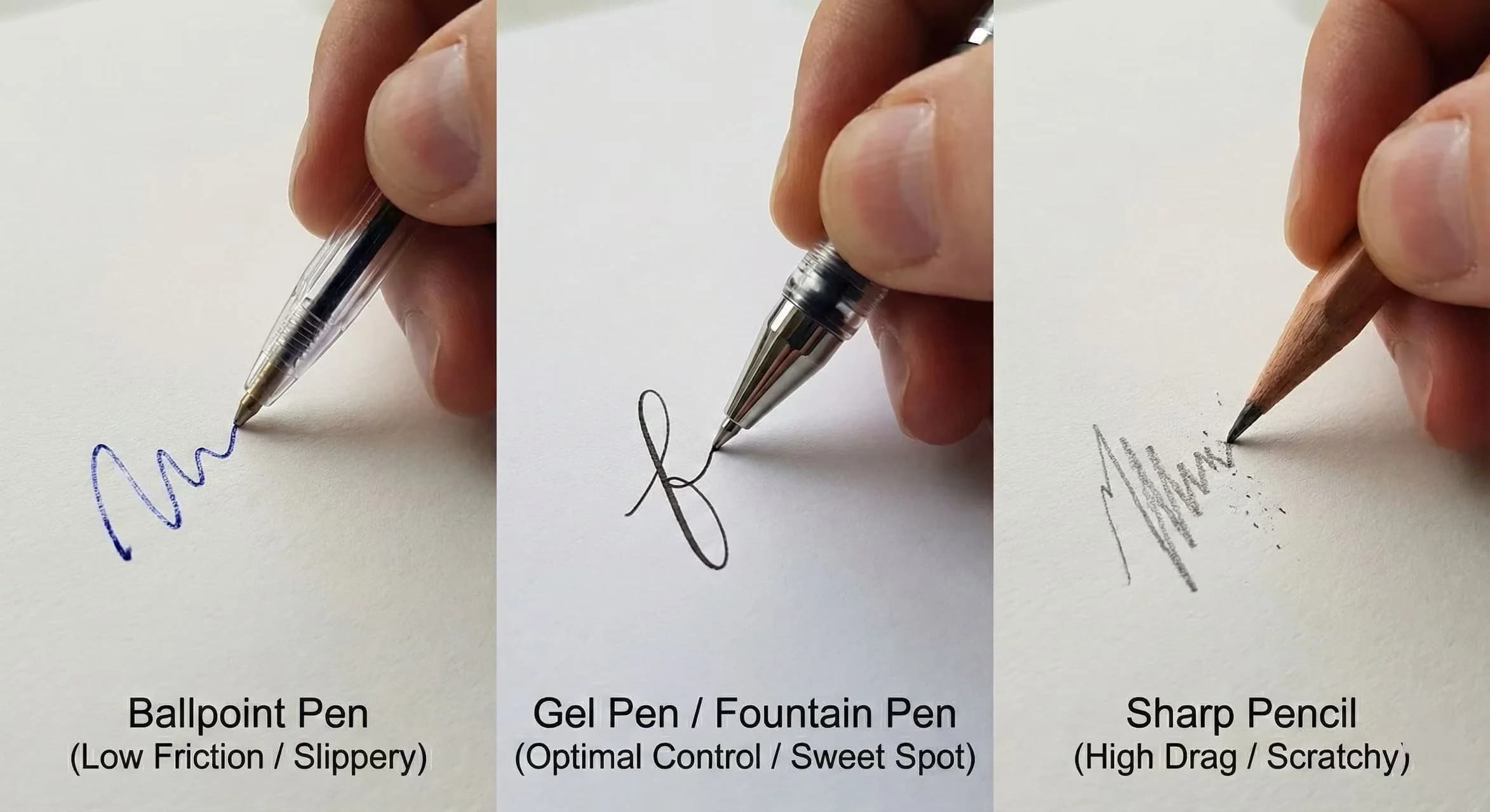
- Low Friction (Ballpoint): "Slippery" signal. Brain loses track of precise tip location. Result: Muscle tension increases to compensate (Death Grip).
- High Friction (Fountain/Gel): "Tactile" signal. Brain gets real-time coordinates. Result: Relaxed grip, higher precision.
What Causes Messy Letter Formations?
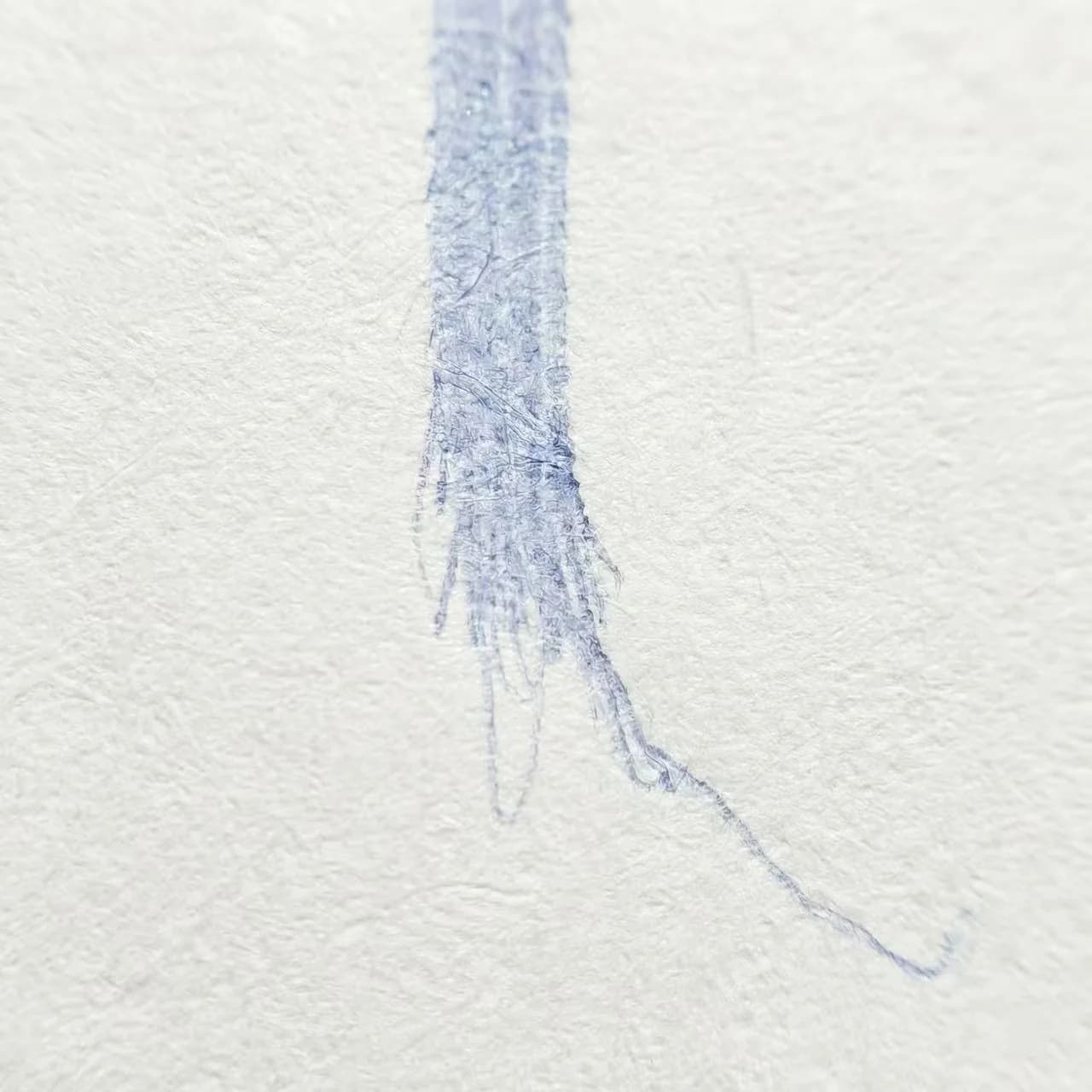
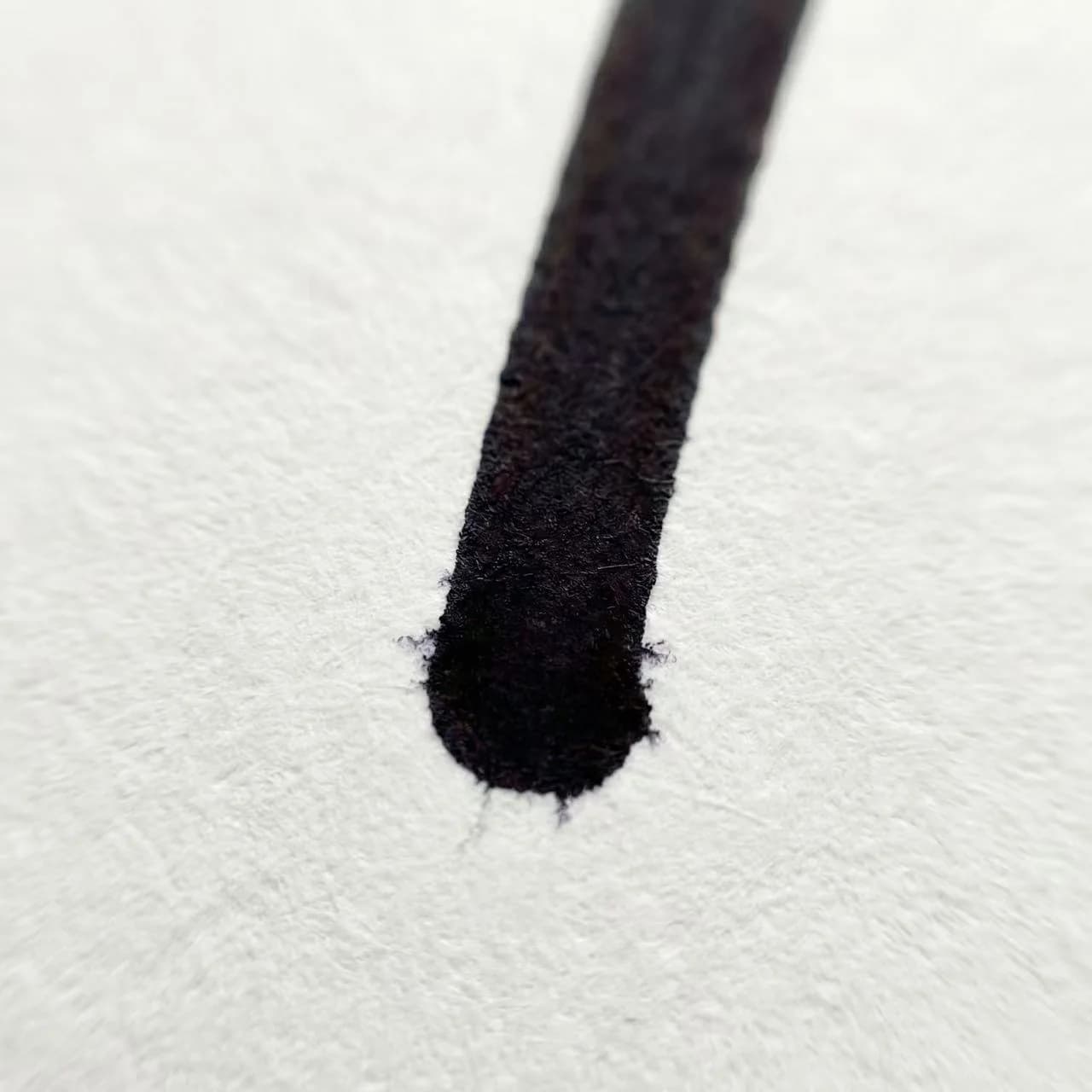
Why do letters look messy? Often, it's not the shape itself, but the termination point (where the line ends).
This is called Input Overshoot. When you try to stop a low-friction pen (like a Bic ballpoint), the momentum carries the tip 1-2mm further than intended. This creates "tails" on your letters or fails to close circles (like 'a' becoming 'u').
Which Pen Type Offers the Best Handwriting Control?
Just like choosing a mechanical keyboard switch (Blue vs. Red vs. Brown), your pen choice defines your typing experience.
| Type | Viscosity (Drag) | Overshoot Risk | Best For |
|---|---|---|---|
| Ballpoint (Oil) | Very Low (Ice) | High (Dangerous) | Quick notes, rough surfaces |
| Gel Pen (0.5/0.7) | Medium (Balanced) | Low | Students, Exams, Precision |
| Fountain Pen | High (Feedback) | Very Low | Long sessions, Ergonomics |
How to Test Your Pen for Overshoot Issues?
Don't just take my word for it. You need to run a "Unit Test" on your current pen.
Generate the Test Pattern
Go to our Print Worksheet Generator.
Inject the Payload
In the text box, enter this high-frequency overshoot test string: IlIlIlIl OOOOOO minimum
Analyze the Output
Write the line with a Ballpoint, then with a Gel Pen. Look at the bottoms of the 'l' and 'I'. Which one stays on the baseline? Which one slides off?
Ready to Upgrade Your Hardware?
Once you've found the right pen, you need the right training data. Use our generators to build muscle memory that sticks.
Frequently asked questions
What is the best pen for handwriting?
There is no single best pen for every writer. Compare a few pens at the same writing speed and look for steady ink flow, enough tactile feedback to stop strokes cleanly, and no need to grip harder as the sample continues. A 0.5–0.7 mm gel pen is a useful comparison point, not a universal recommendation.
Sources & References
Overview of haptic / tactile feedback loops that the article uses to explain why tip friction informs motor control while writing.
Compares handwriting kinematics on paper vs smoother tablet surfaces—evidence that surface friction changes control demands and movement speed.
Shows reduced friction and altered proprioceptive feedback can disturb graphomotor execution—supporting the damping / overshoot framing here.
Quantifies tip forces across grasp patterns, relevant to pressure, friction, and fatigue trade-offs when choosing pen hardware.